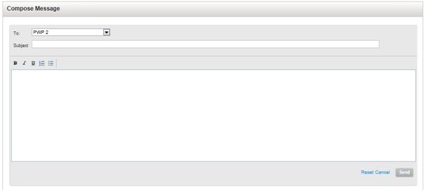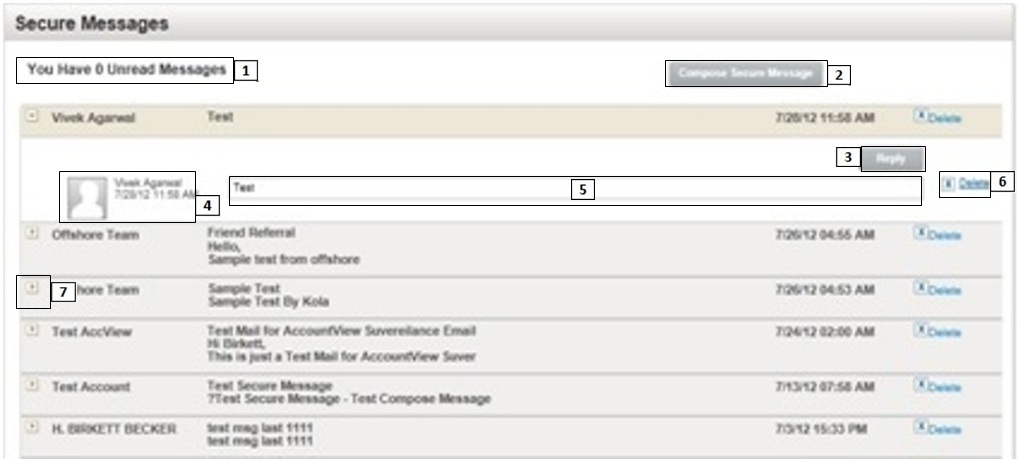
You may use the Secure Messaging feature to securely read, write and reply messages to a client.
View the Secure Messaging screen
|
Item |
Description |
|
|
Displays the number of unread messages. |
|
|
Click to compose a message to a client. For more information, see To send a message. |
|
|
Click Reply to reply to a message. Note:When you click reply, system selects the sender's name in the To field by default. Follow the steps from step 4 of composing a message for replying to a message. |
|
|
Displays the:
|
|
|
Displays the body of the message. |
|
|
Click to delete the selected message. |
|
|
Click to read the selected message. |
The system displays the Compose Secure Message page.
The system sends the message to respective client.
Go back